





|

What's New?

Discover the latest product feature releases, improvements, and updates in STACK.

/
  • All
  • Build & Operate
  • Takeoff & Estimate

Negative Measured Quantities

A “Count as Negative” toggle that lets users mark selected measurements as negative quantities so they subtract from totals, feed formulas as credits, and appear ...

Plan Viewing Enhancements

Three powerful upgrades to enhance how you view and navigate your plans.

Project-Level Currency

Users can now set a currency at the project level, overriding the company‑wide default. All monetary values—including estimate worksheets, reports, and exports—automatically display using the ...

Quantity Breakouts by Measurement Inputs

Turn on Measurement Input columns in your estimate to quickly see quantities grouped by things like wall height, drop length, pitch, or depth.

Other Costs Templates

You can now save your estimate "Other Costs" into Templates for later re-use!

Bulk Copy Takeoffs to Another Tag Value

Save time by copying multiple takeoffs at once from one tag value to another within a project. Copy to an existing tag value or create ...

Office Manager User Roles

You can now organize STACK by office so each location manages its own users and projects. Office Managers can add, edit, and deactivate users only ...

STACK Assist

Unlock the content of your documents with STACK Assist! Turn to STACK Assist when you need answers or clarity in relation to a project. With ...

Flexible Units

Mix and match—measure in Metric while quantifying in Imperial (or vice versa).

Linked Unit Costs

Unit Costs are now linked together by Item. Once you set a cost, it applies across your estimate—no matter the Takeoff, Assembly, Label, or Sheet.

STACK for Excel

STACK for Excel allows you to seamlessly bring live STACK project data, such as takeoff measurements and item quantities, directly into Microsoft Excel worksheets.

Classify by Discipline

AI Accelerated users can now classify their sheets by discipline (e.g., A, C, E, etc.) The classification happens within the folder where it's triggered.

Line Item Profit Markup

In the estimate worksheet, you can now add a profit markup on a line-item basis, in addition to the cost modifier you’ve had already.

View More Takeoff & Estimate Information

It's now faster and more seamless to upload information into Build & Operate, allowing the field team so easily access of all the work completed ...

Streamline Project Handoffs to Your Field Team

Now you can seamlessly transfer project data into Build & Operate, making it easier to bridge the gap between estimating and construction management.

AI-Accelerated Pre-name Plans

STACK will now automatically pre-name plans during upload process to help you find the right sheets quickly (for AI subscribers only).

Item Group Rollouts

In the estimate worksheet, you can now Group by and Roll Out Assembly Item Groups, providing a more granular level of quantities.

Bulk Close Sheet Tabs

Working on large projects often means opening many sheet tabs at once. Manually closing them one by one can be slow and frustrating. The Bulk ...

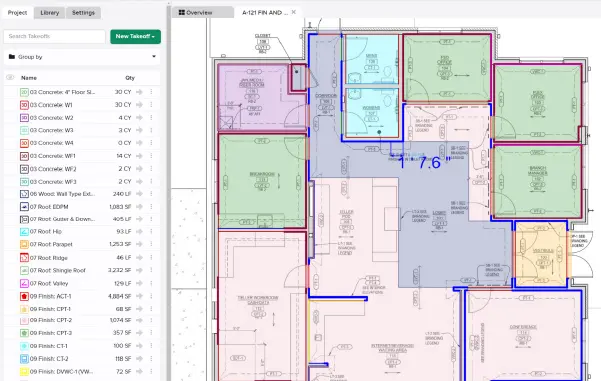
Expandable Left-Hand Takeoff Panel

You can now expand the left-hand takeoff panel to instantly view full names at a glance!

Measured Unit Price Preference

You now have two options for how Measured Unit Price is calculated.
Shopping Basket

Which solution are you looking for?

Takeoff & Estimate
Calculate everything you need anytime, anywhere.
Build & Operate
Seamlessly link your data from the office to the field.

Need a more custom solution?  Talk to us

STACK Training Videos

Select which training library you would like to access: