





|

What's New?

Discover the latest product feature releases, improvements, and updates in STACK.

/
  • All
  • Build & Operate
  • Takeoff & Estimate

Self Serve Item Import

Users can now import your item library directly from Library settings. Upload a CSV or XLSX and get instant validation with clear error messaging so ...

Item Quantities on the Takeoff Tree

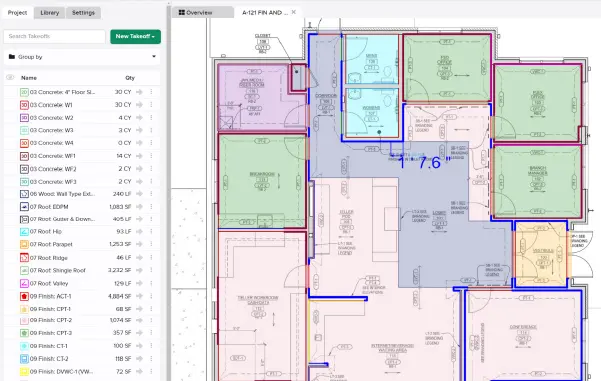
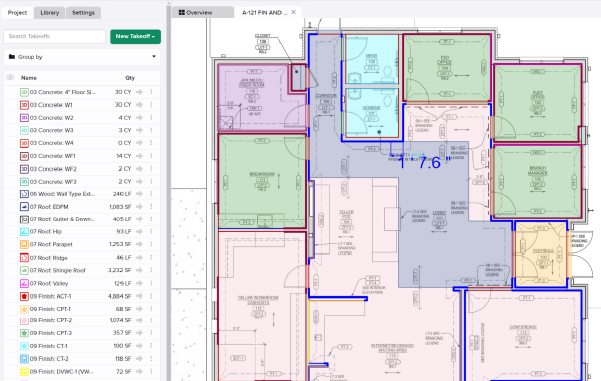
Item purchase quantities from the Primary estimate are now displayed in the Takeoff tree - both for items directly attached to takeoffs and for items ...

Item Information Panel

Brings full Item detail — description, formula, cost, and more — into the right panel, right where you're already working in the Takeoff Tree.

Assembly Defaults

Set a default item group option and default custom variable values (like multiplier & waste) for any assembly. STACK applies them automatically whenever that assembly's ...

Highlight Estimate Values I Changed

New user preference: turn on "Highlight estimate values I changed" in Preferences and cells you've overridden in the estimate worksheet get a background color, not ...

STACK IQ

STACK IQ is now available to every STACK customer — connect the AI assistant you already use, like Claude or ChatGPT, and ask it to ...

Typicals

'Typicals' lets estimators define a reusable group of takeoffs and mark where it repeats – STACK multiplies the quantities automatically. Label occurrences to break those ...

Items and Assemblies in the Takeoff Tree

Adds a collapsible tree view to the takeoff list that shows every Item and Assembly attached to each takeoff — directly in the takeoff workspace. ...

Modernized Annotation Tools

STACK has added several new annotation tools, including Pen, Highlighter, Arrow, Arrow text box, Sticky Note, and Comment.

Left Panel Organization

You can now manage tabs in the left panel, overflows are handled automatically and users can drag any tab to reorder it, or drag it ...

Search Items on More Fields

Search is now expanded to match across Item Number, Description, and Accounting Code, and surfaces those fields in the results — so you can find ...

Auto-Apply Label Values When Grouped by Label

When the takeoff list is grouped by a Label Group, starting a measurement from within a label value folder automatically applies that folder's label value ...

Explode Multiple Measurements

Users can select multiple area measurements and explode them all at once using the Explode command. Rather than cycling through each measurement individually, users invoke ...

Item Formulas in Your Project

Add a formula to any Item without building an Assembly. Need a quick calculation like [MeasuredArea]*2? Type it right inline on the Item in your ...

Measure & Annotate on iPad

Annotate from the field! The existing STACK web application now offers a mobile-friendly responsive view, optimized for touch interaction on iPad and tablets. Field teams ...

Subscriptions & Users Page

Users currently have two separate pages to manage their license, users, and subscription information. This causes confusion because some actions — such as viewing Recurly ...

Estimate Snapshots

Capture a point-in-time copy of any estimate — manually whenever you want a checkpoint, or automatically at key moments like status change. Each snapshot preserves ...

Estimate Totals in Takeoffs

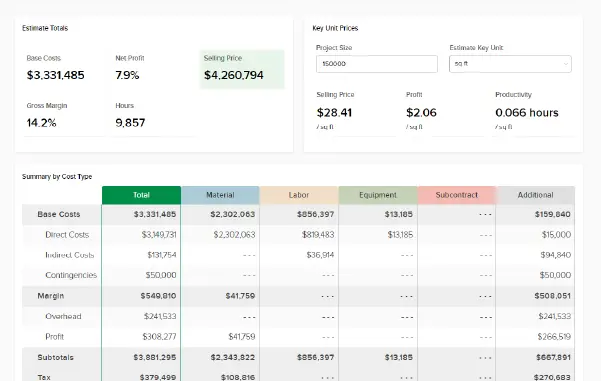
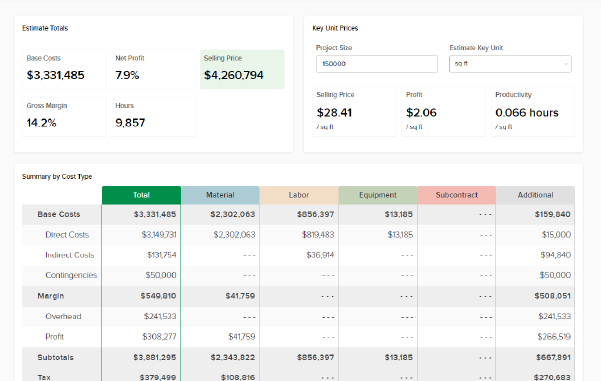
A new right panel in the takeoff space surfaces live estimate totals as you measure — so you can see your numbers change in real ...

Takeoff Right Panel

The new Takeoff Right Panel keeps your project's Takeoff list visible at all times. No more burying it under settings, measurement inputs, or libraries, which ...

Polyline Multiselect Tool

Polyline Multiselect adds a new selection mode alongside the existing rectangle multiselect. Instead of dragging a box, users click to place vertices and draw a ...
Shopping Basket

Which solution are you looking for?

Takeoff & Estimate
Calculate everything you need anytime, anywhere.
Build & Operate
Seamlessly link your data from the office to the field.

Need a more custom solution?  Talk to us →

STACK Training Videos

Select which training library you would like to access: