


|

Floor Plan AI Draw Mode


Measuring and performing takeoffs is a time-consuming process. As estimators you can spend anywhere from a few hours to several weeks measuring a project. Modern AI tools promise to make this faster, but too often they simply trade time spent measuring for time spent editing, labeling, organizing, and validating the AI output.

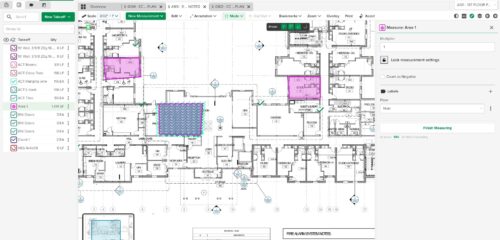
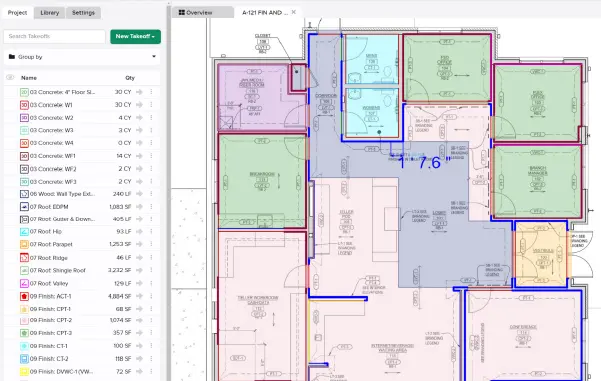
That’s why STACK is proud to introduce Floor Plan AI draw mode! Use the new Floor Plan AI draw mode to suggest potential room areas and with a single click create a measurement from that suggestion. The newly created measurement inherits any takeoff and measurement settings you apply, including the appearance, height and depth inputs, multipliers, labels, and even items and assemblies. It’s AI just integrated into the intuitive fast, STACK workflow that you’re already familiar with.

For more information visit our Help Center

Stay up-to-date on all the latest STACK features!

Sign up for our Newsletter and get all the info right to your inbox.

Share

More Recent Updates

Screenshot

Auto-Apply Label Values When Grouped by Label

When the takeoff list is grouped by a Label Group, starting a measurement from within a label value folder automatically applies that folder's label value ...
STACK_Release_TmbN_ExplodeMultiMeasure

Explode Multiple Measurements

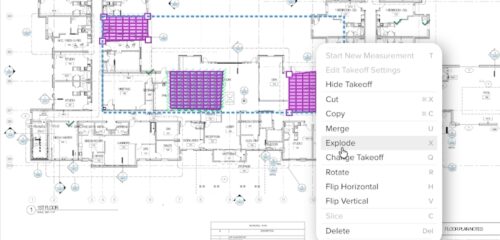
Users can select multiple area measurements and explode them all at once using the Explode command. Rather than cycling through each measurement individually, users invoke ...
STACK_Release_TmbN_ItemFormulas

Item Formulas in Your Project

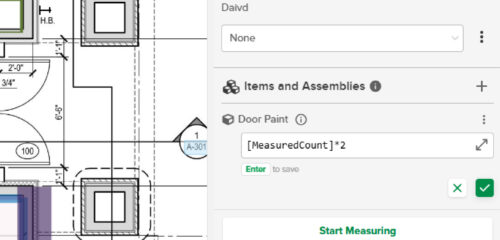
Add a formula to any Item without building an Assembly. Need a quick calculation like [MeasuredArea]*2? Type it right inline on the Item in your ...
Shopping Basket

Which solution are you looking for?

Takeoff & Estimate
Calculate everything you need anytime, anywhere.
Build & Operate
Seamlessly link your data from the office to the field.

Need a more custom solution?  Talk to us

STACK Training Videos

Select which training library you would like to access: