



|

Floor Plan AI Draw Mode


Measuring and performing takeoffs is a time-consuming process. As estimators you can spend anywhere from a few hours to several weeks measuring a project. Modern AI tools promise to make this faster, but too often they simply trade time spent measuring for time spent editing, labeling, organizing, and validating the AI output.

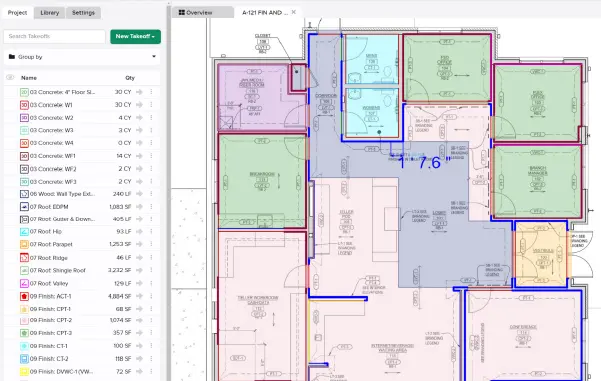
That’s why STACK is proud to introduce Floor Plan AI draw mode! Use the new Floor Plan AI draw mode to suggest potential room areas and with a single click create a measurement from that suggestion. The newly created measurement inherits any takeoff and measurement settings you apply, including the appearance, height and depth inputs, multipliers, labels, and even items and assemblies. It’s AI just integrated into the intuitive fast, STACK workflow that you’re already familiar with.

For more information visit our Help Center

Stay up-to-date on all the latest STACK features!

Sign up for our Newsletter and get all the info right to your inbox.

Share

More Recent Updates

Takeoff Right Panel

Takeoff Right Panel

The new Takeoff Right Panel keeps your project's Takeoff list visible at all times. No more burying it under settings, measurement inputs, or libraries, which ...
STACK_Release_TmbN_PolyMulti

Polyline Multiselect Tool

Polyline Multiselect adds a new selection mode alongside the existing rectangle multiselect. Instead of dragging a box, users click to place vertices and draw a ...
STACK_Release_TmbN_ProjectFields

Custom Project Metadata

Custom Project Metadata lets you define up to 10 company-specific fields — dropdowns and dates — that appear on every project. Fields are visible and ...
Shopping Basket

Which solution are you looking for?

Takeoff & Estimate
Calculate everything you need anytime, anywhere.
Build & Operate
Seamlessly link your data from the office to the field.

Need a more custom solution?  Talk to us

STACK Training Videos

Select which training library you would like to access: