







The Short Answer: A construction budget that holds up through the entire project starts with accurate estimates, a realistic contingency fund, and a system for tracking costs once construction starts. Most budgets don’t fall apart because the numbers were wrong on day one; they fall apart because nobody monitors them after that.
Building a construction budget isn’t the hard part. Building one that still holds up when material prices shift, change orders come in, and the scope moves is where most construction companies struggle. The difference between a budget that survives the job and one that doesn’t usually comes down to how detailed it is upfront and how closely your team monitors it during construction. The right tools and process behind your budget make all the difference. Here’s how to build a construction budget your team can actually rely on.
What Goes Into a Construction Project Budget
A comprehensive construction budget accounts for every cost associated with getting a project from planning through completion. Here’s a quick breakdown of the main categories:
- Hard costs are your direct costs tied to physical construction. These typically make up the largest portion of your project budget.
- Soft costs cover expenses outside of physical construction that are still required to get the job done, like design fees, permits, insurance, and administrative costs.
- Indirect costs are the overhead expenses that support the project but aren’t tied to a specific line item, such as project management, temporary facilities, and safety compliance.
- Contingency fund is money set aside for unforeseen circumstances. Best practices suggest 5-10% of total project costs, depending on project complexity and how much is known about site conditions.
- Profit margin is the percentage you add on top of your total costs to make money on the job. Build this into your budget from the start, because when unexpected costs show up, profit is usually the first thing that gets cut.
Hard Costs vs. Soft Costs vs. Indirect Costs
Hard Costs | Soft Costs | Indirect Costs | |
What They Cover | Physical construction work | Non-construction project expenses | Overhead that supports the project |
Examples | Labor, materials, equipment rentals, subs | Permits, design fees, insurance, admin | PM, temp facilities, utilities, safety |
When They Hit | During the construction phase | Before and during construction | Throughout the project |
Share of Budget | Largest portion | Moderate portion | Smallest portion |
Why Most Construction Budgets Fall Apart
Most cost overruns don’t happen because a project manager made one big mistake. They happen because small gaps in the construction budgeting process compound over time.
Inaccurate Estimates and Missing Line Items
A budget is only as strong as the estimate behind it. If your team is working off rough numbers or leaving out line items that seem minor, those gaps add up. Missing a few material costs or underestimating labor costs on a handful of trades can push a project budget off track before the first shovel hits the ground. Following construction estimating best practices from the start helps close the gaps before they make it into your budget.
Failing to Separate Cost Categories
Lumping hard costs, soft costs, and indirect costs together makes it nearly impossible to see where money is actually going. When everything lives in one bucket, your team can’t identify which categories are running over and which have room.
No Contingency for Unexpected Expenses
Every construction project has surprises. Weather delays, material shortages, or site conditions nobody saw coming can all throw off your numbers. A budget without a contingency fund treats these as emergencies instead of expected parts of the construction process. We cover this in more detail in our guide to preventing cost overruns in construction.
Poor Tracking After the Budget Is Built
This is where most budgets quietly fail. The numbers might be accurate on day one, but if nobody is comparing actual costs against the plan throughout the project, variances go unnoticed until it’s too late to correct them.
How to Build Your Construction Budget Step by Step

Define the Project Scope First
Every line item in your budget should trace back to the project scope. If the scope isn’t clearly defined, your budget is built on assumptions, and assumptions lead to change orders and additional costs down the line. Lock down deliverables, specifications, and expectations before you start putting numbers together.
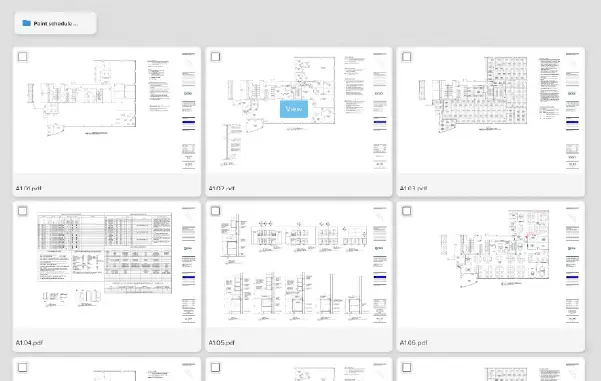
STACK’s Evaluate tools help your team centralize drawings and review plan sets so the full scope is clear before budgeting begins.
Pull from Historical Data and Similar Projects
If your construction company has completed similar projects in the past, that data is one of your most valuable resources for financial planning. What did materials actually cost? How many labor hours did it take? Where did the budget run over? Using historical data to inform your estimates gives you a more realistic starting point than building from scratch.
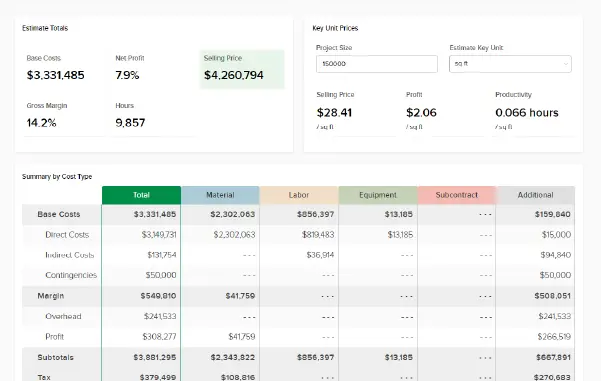
Pro Tip: Compare your estimates against at least two or three similar projects from the last 12 months. Material and labor costs shift fast, so older data may not reflect current pricing. STACK’s estimating tools let you save and reference past project data and pull from pre-built item libraries with current material prices, so your team isn’t starting from scratch every time.
Break Out Every Cost Category in Detail
The more detail you put into your budget upfront, the easier it is to manage later. Go beyond top-level categories and build out individual line items for each trade, material type, and overhead expense. A granular construction budget template lets your project manager pinpoint exactly where costs are running over or under instead of guessing.
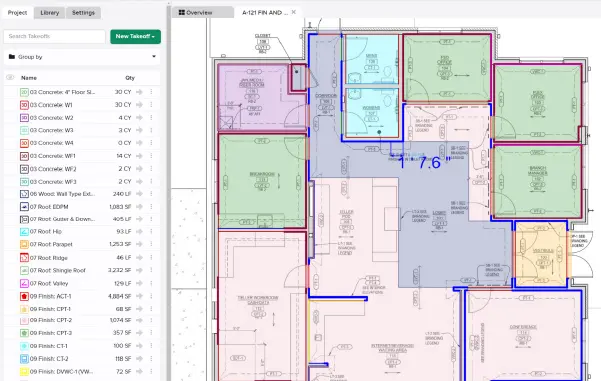
Pulling accurate material quantities with STACK’s digital takeoff tools gives your cost breakdowns a stronger foundation than estimating off rough measurements.
Build in Contingency for the Unexpected
How much contingency you need depends on how much risk the project carries. A straightforward new build on a well-documented site might call for 5% of total project costs. A renovation with unknown conditions behind the walls could need 10% or more. Base your percentage on what you know about the site, the complexity of the work, and how much of the design is finalized.
Set Up Real-Time Tracking Against Actual Costs
A budget that sits in a spreadsheet and doesn’t get updated is just a guess with formatting. Your project manager should be tracking actual costs against the budget throughout the construction phase, not reviewing the numbers for the first time at project closeout.
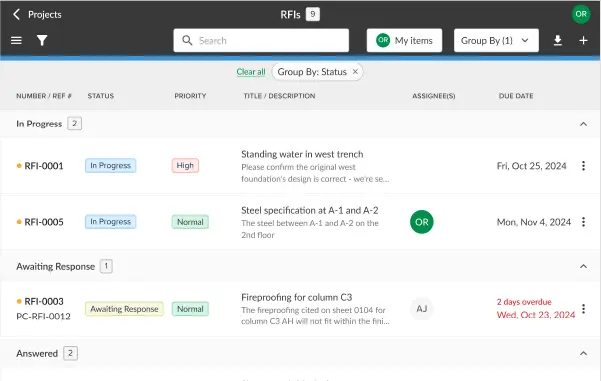
STACK’s project management tools keep your field and office teams connected through centralized document control, daily reports, and configurable workflows, so nothing falls through the cracks once construction starts.
Pro Tip: Set a cadence for budget reviews. Weekly check-ins on active projects help your team catch cost overruns early and make adjustments before they eat into your profit margin.
Tracking and Managing Your Budget Through Construction
Building a strong budget is only half the job. The other half is making sure it stays accurate once construction starts.

Monitor Actual Costs vs. Projected
Once your tracking is in place, the focus shifts to what you do with the data. Set a regular cadence for reviewing variances. When a line item starts trending over budget, your project manager should be able to trace it back to a specific cause, whether that’s a pricing change, a productivity issue, or an overlooked scope item. Construction management software gives your team the visibility to spot these trends as they develop rather than discovering them at project closeout.
Manage Change Orders Tightly
Change orders are one of the fastest ways for a construction project budget to get away from you. When additional work comes up, document it formally with updated costs and timelines before the work gets done. Every change order should flow back into the budget, so your team always has an accurate picture of where the project stands financially.
Use Your Budget Data to Improve Future Projects
Every completed project is a data point. Track where your budget was accurate and where it missed, and feed that information back into your estimating process for future projects. Over time, this creates a cycle of more accurate budgets and fewer surprises on every job.
Pro Tip: Tag your budget variances by category (labor, materials, equipment, overhead) so you can identify patterns across projects, not just individual misses.
Build Budgets That Hold with STACK
A construction budget that survives the job doesn’t happen by accident. It takes accurate estimating, detailed cost breakdowns, built-in contingency, and real-time tracking from start to finish. STACK gives construction companies the digital tools to handle all of this from one platform, so your team spends less time managing spreadsheets and more time managing the project.
Stop building budgets that break. Schedule a demo to see how STACK helps your team budget with accuracy from preconstruction through project completion.