



|

New Upload Options for Drawings and Documents

/

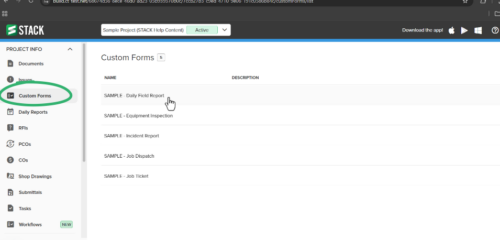
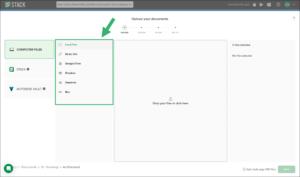
Stay organized and keep your projects moving with effortless file management using our newly added upload options! Easily upload drawings and documents under the Projects tab inside the Project Info section on the Build & Operate web portal. Now, with expanded source options, you can seamlessly add files from Local Files, Direct Link, Google Drive, Dropbox, OneDrive, and Box.

For more information visit our Help Center. 

Stay up-to-date on all the latest STACK features!

Sign up for our Newsletter and get all the info right to your inbox.

Share

More Recent Updates

spotlight

Spotlight Filters for Measurements

Dense drawings shouldn’t slow you down. Spotlight Filters for Measurements keeps the measurements you need in focus and the rest of the plan in view, ...
sorting items

Control How Items Sort in Takeoffs and the Estimate

Your Items, your order. You can now sort Items the same way in both Takeoffs and the Estimate, right from the column menu. Choose Alphanumeric ...
RememberLastDrawingMode

Persistent Drawing Mode

Persistent Drawing Mode keeps your workflow moving by automatically remembering the last drawing mode you used, so you can jump back into measuring without having ...
Shopping Basket

Which solution are you looking for?

Takeoff & Estimate
Calculate everything you need anytime, anywhere.
Build & Operate
Seamlessly link your data from the office to the field.

Need a more custom solution?  Talk to us →

STACK Training Videos

Select which training library you would like to access: