



|

Project Takeoff Tags

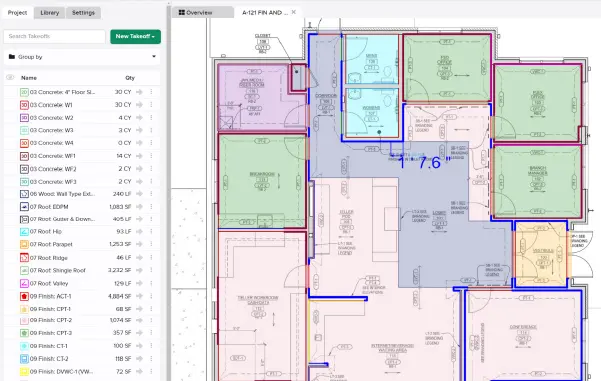
Use Takeoff Tags instead of Labels to group and categorize your Takeoffs by CSI, material type, scope, or any other way that makes sense — you no longer have to re-label measurements as you go. Leverage these Takeoff Tags in your Reports and Estimate Worksheet.

Stay up-to-date on all the latest STACK features!

Sign up for our Newsletter and get all the info right to your inbox.

Share

More Recent Updates

item takeoff quantity takeoff tree

Item Quantities on the Takeoff Tree

Item purchase quantities from the Primary estimate are now displayed in the Takeoff tree - both for items directly attached to takeoffs and for items ...
Item Information Panel

Item Information Panel

Brings full Item detail — description, formula, cost, and more — into the right panel, right where you're already working in the Takeoff Tree.
Assembly Defaults

Assembly Defaults

Set a default item group option and default custom variable values (like multiplier & waste) for any assembly. STACK applies them automatically whenever that assembly's ...
Shopping Basket

Which solution are you looking for?

Takeoff & Estimate
Calculate everything you need anytime, anywhere.
Build & Operate
Seamlessly link your data from the office to the field.

Need a more custom solution?  Talk to us

STACK Training Videos

Select which training library you would like to access: