







This month brought our biggest release yet, an AI gateway that works inside the tools you already use, along with four workflow updates that make takeoffs and estimates faster to build and easier to trust.
Here’s What’s New:
STACK IQ Is Now Available to Every Customer
STACK IQ works inside the AI tools you already use, including Claude and ChatGPT. Ask it to set up a project, edit a takeoff, check a bid for mistakes, or pull project data, all in plain language, and let STACK handle the rest.
Item Quantities on the Takeoff Tree
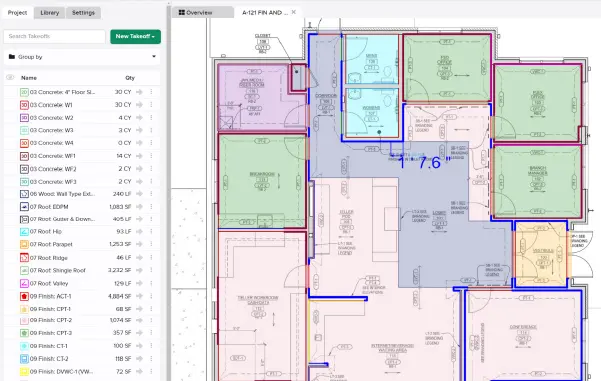
Purchase quantities from your Primary estimate now show up directly in the Takeoff tree, for items attached to a takeoff and for items nested inside assemblies. No more flipping back to the estimate to check what you’re actually buying.
Item Information Panel
Full item detail, including description, formula, and cost, now lives in a right-side panel inside the Takeoff Tree. Check an item without leaving your takeoff.
Assembly Defaults
Set a default item group option and default custom variable values, like multiplier and waste, for any assembly. STACK applies them automatically every time that assembly gets added to a project, so you’re not resetting the same values project after project.
Highlight Estimate Values I Changed
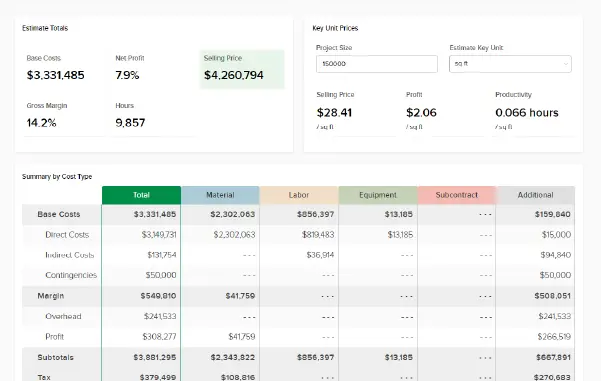
Turn on “Highlight Estimate Values I Changed” in Preferences, and any cell you’ve overridden in the estimate worksheet gets its own background color, not just bold text. Overrides jump out at a glance, so nothing slips through before a bid goes out.
Want to Talk Shop With Other STACK Users?
Join STACK Community to swap tips, ask questions, and connect with other contractors using STACK!