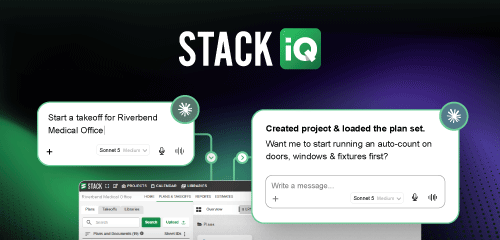
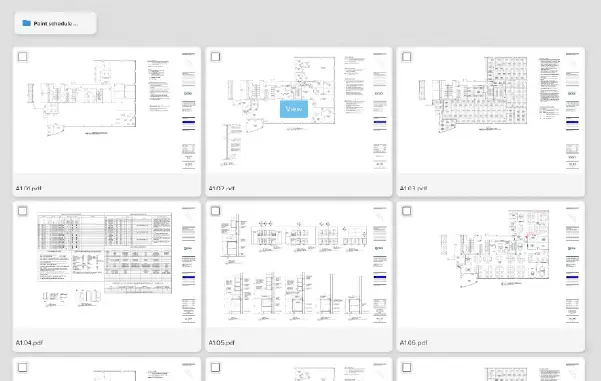
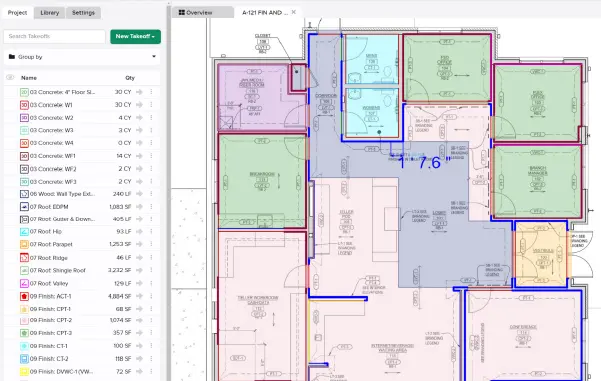
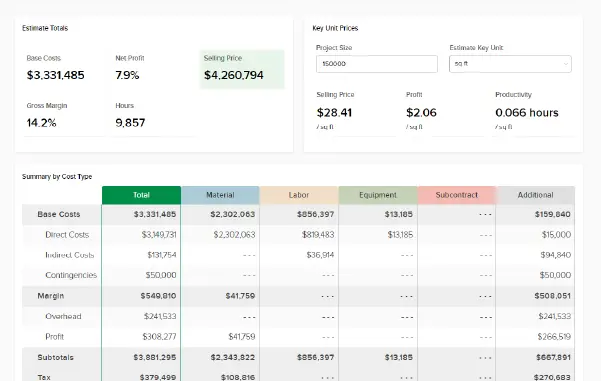







A lot of bid nights aren’t spent measuring. They’re actually spent getting ready to measure. STACK IQ puts AI for construction estimating to work on that part of the job: it connects Claude or ChatGPT to your STACK account, so you can set up takeoffs, pull estimate data, and build proposals by asking in plain language, and it’s included with your STACK subscription.
Picture this: It’s 9pm, the bid is due at noon, and you haven’t measured a thing. You’ve spent the evening creating the project, retyping job details from the invitation to bid, and building takeoffs one at a time. Next comes the hunt: scanning sheet after sheet for every little circle marked “2A.” None of that wins the job. It just has to get done before the work that does.
STACK IQ takes that setup off your desk. One customer in our recent webinar now starts his morning with new bid projects already created in STACK and takeoffs already built, waiting for him to measure.
Estimating Teams Are Being Asked to Bid More with Fewer People
The pressure on preconstruction teams isn’t easing. In the AGC and NCCER 2026 Workforce Survey, 72% of firms with estimating openings said they were having difficulty filling them (AGC 2026 Workforce Survey Analysis). When you can’t add estimators, the only way to bid more work is to make each estimator’s hours count.
Contractors already see where AI fits. When asked where AI will have the most impact inside their own firms, respondents put estimating and bidding at the top of the list at 67%, ahead of document and contract review, scheduling, and project management. The same survey found that most respondents expect AI to change how work gets done – automating repetitive, error-prone tasks and raising productivity – rather than replacing workers.
That’s the gap STACK IQ fills. The repetitive part of estimating – project setup, takeoff structure, tagging, data exports, and proposal formatting – is exactly where an AI assistant can save hours. The judgment part stays with you.
STACK IQ Connects Your AI Assistant to Your STACK Projects
What Is STACK IQ?
STACK IQ is STACK’s connector for AI assistants. It links tools like Claude and ChatGPT to your STACK account and teaches them how STACK works, so the assistant can find projects, review takeoffs, and complete supported Takeoff & Estimate actions from a plain-language request. You don’t need STACK open, and you can use it from your phone.
Under the hood, STACK IQ is built on the Model Context Protocol (MCP). MCP is an open standard that lets developers build secure, two-way connections between their data sources and AI-powered tools. STACK IQ is STACK’s MCP server plus a layer of STACK-specific knowledge on top.
“Construction software has always asked contractors to adapt to it. Learn the menus, learn the workflow, learn where everything lives. STACK IQ reverses that. Customers tell AI what they need in their own words, and that AI goes to work right inside of STACK.”
Viyas Sundaram, STACK CEO
How STACK IQ Knows What You Mean
We’ll admit it: in our own live STACK IQ webinar, Claude got the very first request wrong. Our product manager asked for a list of his projects, and Claude went looking for his Claude projects. One follow-up – “I meant my STACK projects” – fixed it. That moment shows exactly what STACK IQ is for.
A general AI assistant doesn’t speak construction. Ask it to “show me my takeoffs,” and it has no idea you mean measured quantities on a plan sheet rather than flight departures. Ask for “my projects,” and it might look in your project management app, your to-do list, or its own chat history.
STACK IQ supplies that missing context. It tells the assistant what a takeoff, a project, an item, an assembly, and a unit cost mean inside STACK, and it gives the assistant the tools to act on them. The assistant interprets your request, STACK IQ tells it how to carry that request out in STACK, and the work happens in your account.
It also respects the boundaries you already have. STACK IQ can only do what your STACK user role allows – if your permissions don’t let you see the estimate, neither can your assistant. Claude may also ask for your approval before it completes an action that changes information in STACK.
AI for Construction Estimating Works Best When It Takes the Clicks, Not the Judgment
Your AI assistant can build 97 takeoffs in four minutes. It can’t sign the bid. Quantities are data; estimates are commitments. STACK IQ handles the data work at speed, and you own the number you put your name on.
Set Up Takeoff Structure at Scale
In STACK’s first STACK IQ webinar, the product team demonstrated building 97 library takeoffs from a spreadsheet in about four minutes, then tagging all 97 by CSI division with a single request. The same approach works for everyday cleanup:
- Tag every takeoff in a project by scope, letting the AI assistant choose the best fit
- Color takeoffs by tag, fill and line both, while saving the current colors so you can revert
- Copy takeoffs from one project into a library, then into another project
These are tasks you can already do by hand in STACK. The difference is doing them for 300 takeoffs without 3,000 clicks.
Get Estimate Data Out in the Format You Use
Most estimators have a spreadsheet or proposal format they trust. STACK IQ lets your AI assistant pull quantities and estimate data straight from a project and drop them into that format – Excel, PDF, Word, or a CSV ready to import into another system. It handles naming differences, too, matching “SOG” to “slab on grade” or “wall” to “walls” without a rigid cell-to-cell mapping.
If you already use STACK’s built-in estimating proposals, STACK IQ adds another option for teams with a custom format their clients expect.
Review Your Numbers across Projects
This is the part a person can’t do fast. Comparing unit costs across two old estimates used to take an afternoon with both open side by side. Now it’s one question.
Your AI assistant can compare unit costs line by line across two projects, flag items with zero cost before a bill of materials goes out, point out a likely keying error (10 cents where you meant 10 dollars), or build a win-loss breakdown by project type. It’s the same discipline behind tracking estimates vs. actuals, applied in minutes instead of days.
Contractors Are Already Using STACK IQ from Bid Intake to Proposal
STACK’s second webinar featured two customers walking through their live STACK IQ workflows. Their setups show what’s possible after a few months of use.
From Inbox to Ready-to-Measure
Erik King, Preconstruction Manager at Legacy Enterprises, has Claude run an automated morning briefing before he arrives. It reads incoming bid invitations, sorts real opportunities from noise using rules he wrote, creates the qualifying projects in STACK with the job details already filled in, and labels each email so he knows what’s been handled.
He barely types any of it. He talks to his AI assistant through a microphone and says he’s almost completely stopped typing.
Once he drops the plan sets into a shared folder, STACK IQ builds the takeoffs, applies his preferred colors, and attaches the right assemblies from his library – spray foam on band joists, plasterboard with everything that goes with it. He reviews the work and does the measuring.
Based on what STACK customers report, the payoff is significant: Erik said he’s saving roughly 30–40% of the time on a typical job, with the biggest gains on large commercial bids with 100 or more takeoffs. For trades like insulation, where assemblies follow consistent rules, that setup time adds up fast.
Proposals in Your Format, Not a Generic Export
Adam Roark with Gulf Coast Pavers had a specific proposal format their clients expected, and a standard export didn’t match it. Working with STACK’s professional services team, they built a reusable Claude skill that pulls estimate data from STACK, asks a few questions (who signs, where the job is, who the customer is), and produces a finished Excel file and PDF in their exact layout.
Adam reported that a proposal now takes about 10 minutes, compared with at least double that before – and it doesn’t require opening STACK at all. When the team spots a change they want, they tell Claude, and it updates the skill so the fix sticks for every future proposal.
The Details That Make These Workflows Work
Three small details make these workflows hold up on real jobs.
First, plan sheet text layers matter. When an architect sends PDFs that haven’t been flattened, STACK IQ can read the text layer and highlight every wall type and ceiling type tag on the plan sheets in the same color as its matching takeoff. Erik moves from blue tag to blue tag instead of rescanning each sheet for “Type 2A,” which he estimated cuts measuring time roughly in half on plans that support it. Flattened PDFs don’t work this way, so this step runs only when the plan set allows.
Second, discrepancy rules protect the number. When a detail calls out a 6-inch wall and the plan sheet shows 4 inches, his rule tells the AI assistant to flag the conflict and default to the more expensive option until he reviews it. Bidding high on an unresolved question is a choice he made once, in writing, and the AI assistant applies it every time.
Third, takeoff naming conventions drive automation. Adam’s skill reads takeoff names – pavers over concrete, pavers over sand, pedestal pavers – and pulls the matching scope language and pricing into the proposal. A consistent naming standard in STACK becomes the logic for everything downstream.
You Should Evaluate STACK IQ against How Your Team Works Today
Here’s STACK’s position: if your most experienced estimator spends Monday morning typing job names into project forms and building takeoffs one at a time, you’re paying senior rates for data entry. That’s the work to hand off first.
What STACK IQ Doesn't Do (Yet)
Here’s what it won’t do, so nothing surprises you on bid day:
- It doesn’t measure plans. STACK IQ works with takeoffs and estimate data. Your estimators still do the measuring, or use STACK’s separate features like Autocount or AI Takeoff.
- AI assistants make mistakes. Both customers built review steps into their workflows. One found his assistant occasionally skipped its own instructions. When he asked why, it said rules buried in a long document were easy to miss, so he now puts the critical ones in bold. Treat AI assistant output like a junior estimator’s work: check it before it goes out.
- Some actions still require a browser workaround. Uploading plans pulled from email isn’t something Claude can do directly today. STACK is currently working to close several current gaps in STACK IQ.
Connecting STACK IQ Takes Only a Few Steps
You need an active STACK subscription and a Claude or ChatGPT account, and STACK IQ is included with current STACK subscriptions. Here’s how to connect in Claude:
- Open your connector settings. In Claude, go to Customize, then Connectors.
- Find STACK. Browse or search the connector directory for STACK. If the directory isn't available to you, choose "Add custom connector" and enter https://mcp.stackct.com/mcp (STACK).
- Sign in to STACK. The account you sign in with determines which companies and projects your assistant can access.
- Turn on all permissions. Select all tools so the assistant can complete every supported action, then authorize.
- Test it. Ask, "Show me my STACK projects." Saying "STACK projects" the first time helps the assistant know where to look – we learned that one live.
The process in ChatGPT follows the same pattern. Other MCP-compatible assistants can connect with the same custom connector URL, and STACK has an official Microsoft Copilot listing in progress.
How to Turn a Repeat Task into a Skill
A skill is a saved set of instructions your assistant follows every time you run a task. You don’t need to write code to build one.
- Explain the task in plain language: Describe what you want, what format it should come out in, and any rules you always follow. Attach a blank copy of your spreadsheet or proposal format with pricing removed.
- Run it on a real project: Review the output and tell the AI assistant what’s wrong – the date, a missing line, the font size.
- Save the corrections to the skill: Ask the AI assistant to update the skill so the fix applies every time.
- Pressure-test it: Run several different projects through before rolling it out to your team.
If you’d rather not start from scratch, your STACK Account Manager can connect you with the professional services team for help building skills. STACK IQ also works alongside your other connected tools – email, spreadsheets, and the systems on STACK’s integrations list.
STACK IQ Puts AI for Construction Estimating to Work on Your Real Projects
The most useful AI for construction estimating isn’t a chatbot that knows general construction jargon. It’s an assistant that can see your projects, follow your rules, and do the repetitive setup and formatting work while you focus on the measurements and judgment calls that win profitable jobs.
STACK IQ gives estimators that assistant today, at no extra cost on a paid STACK plan. Start with one task you repeat every week, connect STACK to Claude or ChatGPT, and see how much of that task you can hand off.
Connect STACK IQ today – or talk to your account manager about building your first skill.
Frequently Asked Questions about STACK IQ
No. STACK IQ is included with current paid STACK subscriptions. You’ll need your own Claude or ChatGPT account, and the cost of that account depends on the plan you choose.
STACK IQ is listed in the official connector directories for Claude and ChatGPT. Other MCP-compatible assistants can connect using STACK’s custom connector URL, and STACK has a Microsoft Copilot listing in progress.
Yes, within the limits of your STACK user permissions. STACK IQ can only do what your STACK role allows, and Claude may ask for your approval before completing an action that changes information in STACK.
No. STACK IQ works with takeoffs and estimate data that already exist in STACK, such as creating, tagging, and organizing takeoffs or pulling estimate data. For automated counts and measurements, STACK offers separate features like Autocount and AI Takeoff.
Cloud-based estimating software can be secure when the vendor follows strong practices around authentication, data handling, and incident response. The security of the platform depends more on the vendor’s practices than on the fact that it’s cloud-based.