




From the office schedule to the language on the screen, this month’s updates help STACK fit how your team already works. Here’s what’s new.
Here’s What’s New:
See every job on one schedule
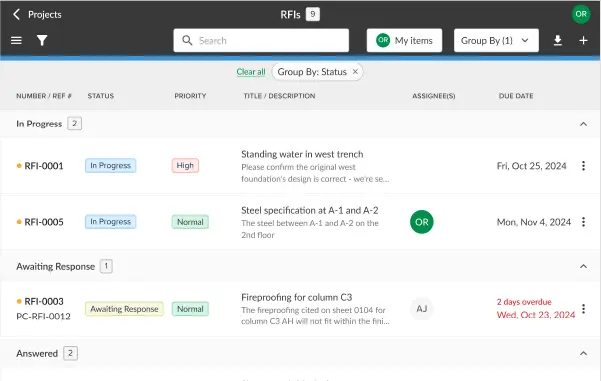
The new Scheduler in Build & Operate shows all your jobs in one view and flags the ones running late. Plan tasks with dependencies, schedule crews and equipment without conflicts, and check the schedule from your phone.
Work in STACK in French or Spanish
You can now use the STACK interface in French or Spanish. Everyone on your team can read every screen in the language they’re most comfortable with, so less gets lost in translation.
Measure round areas as actual circles
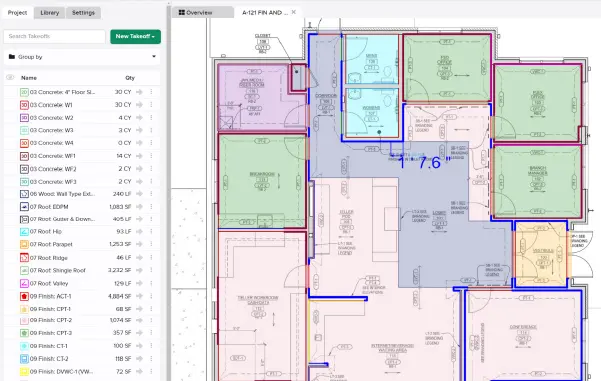
Draw, move, resize, or copy circles right on your plans, or enter an exact radius, and use Circle Cut Outs to remove round areas from existing measurements, so columns, manholes, and tanks don’t need to be approximated with polygon clicks.
Pick up measuring right where you left off
STACK now remembers the last drawing mode you used, so you can get back to measuring without reselecting it every time.
Keep the right measurements in focus on dense drawings
Spotlight Filters highlight the measurements you need while keeping the rest of the plan in view, so you can review and fix issues in one place without turning layers off and on.
Count corners and posts straight from your measurements
STACK now tracks how many vertices each measurement has and shows it in Reports and the Estimate grid, so you can use it in assembly formulas for corner pieces, posts, and other per-point materials on every Takeoff Type except Count.
Sort items the same way in your takeoff and estimate
Sort items A–Z, Z–A, or keep the manual order you’ve already set, right from the column menu in both Takeoffs and the Estimate.
Give every office its own standards
Each office can now have its own currency, measurement units, and Scope of Work and Terms & Conditions templates, and new projects use their office’s settings, so multi-location teams aren’t resetting defaults project by project.
Build forms that match how your company works
Custom Forms in Build & Operate let an admin set up forms once with your own headers, branding, and fields, and your team can fill them out on any project from the web or the mobile app.
Want to Talk Shop With Other STACK Users?
Join STACK Community to swap tips, ask questions, and connect with other contractors using STACK!